
Mobile Web: Quick Start
FamilySearch has different volunteer opportunities. One of which is Quick Name Reviews. We needed a more efficient quick start to get users into the opportunity without having to make any searches prior to starting the activity. My job was to create a mobile web version of a good quick start.
1
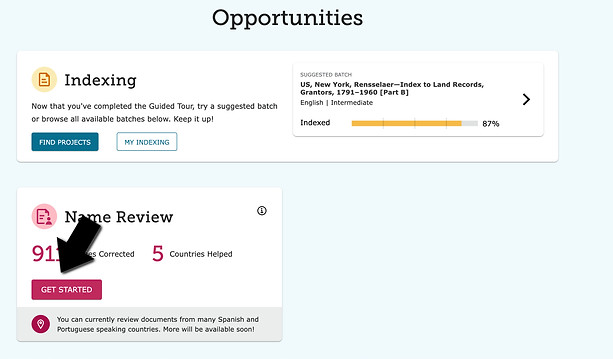
Currently to navigate to the Quick Name Reviews at FamilySearch under the Get Involved activities, you click on 'Get Started' as seen below in the desktop view:
2
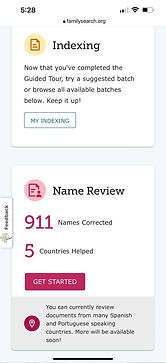
Here is the mobile web view where you can see that the user is taken to a search option after clicking the 'Get Started' button. Our users are getting hung up on the 'Choose a Country' selection and we needed to find a way to bypass this.


3
PAIN POINT:
Because we had a low amount of American or english speaking records, and because the majority of our users are english speaking, we ran into a big roadblock where our users searched for english records and no results were returned, so in turn, they quit using the tool.
Our users don't realize they don't need to read a different language to complete the task, they only review the spelling of a name. But they are instantly discouraged by seeing zero english speaking records. So this quick start was created to bypass the mandatory search and to instantly throw them into a Latin American record.
You can see hierarchy at work with the highly emphasized buttons below:
